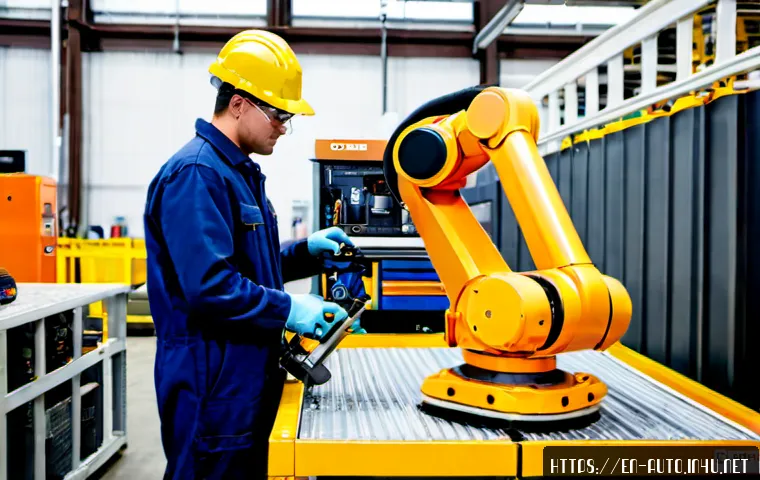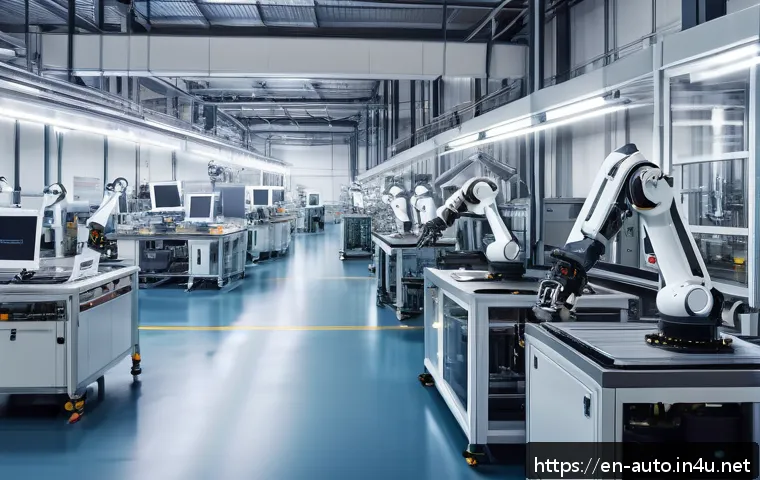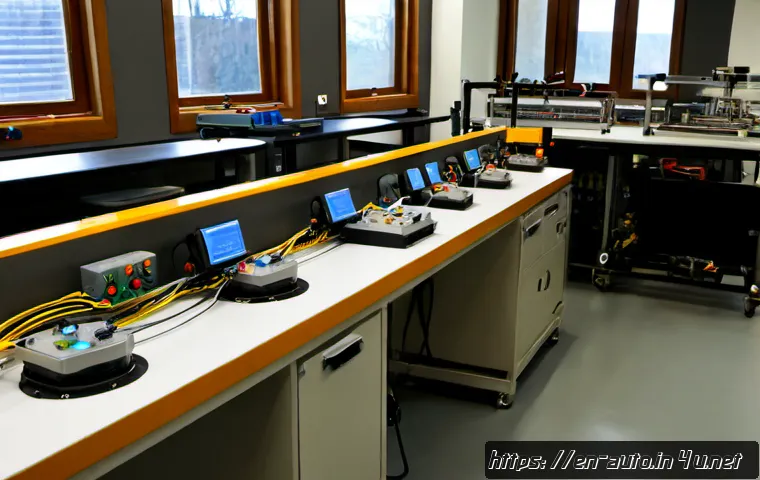
Start with videos that explain the control loop: inputs, PLC logic, outputs, and machine motion. Then move to safety-focused lessons, basic ladder logic, sensors, relays, HMIs, and simple troubleshooting examples before buying equipment.

Free video playlists are useful for building vocabulary and seeing real components, while a structured PLC course can be a better fit when you need exercises, feedback, software access, or a clearer job-focused path.
Simulation software is often a sensible next step because it supports practice without immediately handling live hardware. Physical PLC training kits can add value later, but only after you know which controller family, software environment, and learning goal you need.
Always treat wiring and machine demonstrations carefully, since industrial automation involves electrical and mechanical hazards.
At a Glance
- Begin with system fundamentals: sensors provide inputs, a controller makes decisions, and outputs drive machine actions.
- Use free factory automation videos for orientation, then add simulation exercises or structured PLC training when you need repeatable practice.
- Do not purchase controllers, software licenses, or a hardware training kit until you have chosen a learning path and reviewed safety requirements.
| Learning Format | Typical Value | Support Level | Practice Level | Best Use Case |
|---|---|---|---|---|
| Free video playlists | Introduces terms, components, and basic workflows | Usually limited | Depends on the learner’s own exercises | Exploring factory automation before committing |
| Paid PLC courses | May provide a structured sequence, exercises, and course support | Varies by provider | Often more guided | Career preparation or organized team training |
| PLC simulator software | Lets learners practice logic and sequences in a lower-risk setting | Varies by software and plan | Strong for ladder logic and fault scenarios | Learning before working with physical equipment |
| Hardware training kits | Connects software concepts to real inputs, outputs, and wiring | Varies by kit and vendor | Hands-on, with proper safety procedures | Supervised lab practice or targeted controller training |
Start With These Factory Automation Video Topics
The best factory automation videos for beginners are not necessarily the most advanced ones. Start with content that shows how a complete control system works, then build toward PLC programming and troubleshooting. This order prevents a common problem: learning individual terms without understanding how a sensor, controller, actuator, motor, and safety system interact on a machine.
Learn the basic flow: inputs, controller logic, outputs, and machine motion
Your first videos should explain the basic control flow. A sensor or operator device sends an input. A PLC or other controller applies programmed logic. The controller then activates an output, such as an indicator, relay, actuator, motor-related device, or other machine component.
Look for simple examples such as a conveyor sequence, a push-button start/stop circuit, a part-detection task, or an alarm condition. The goal is not to copy wiring. The goal is to recognize the relationship between field devices, controller logic, and machine behavior.
It also helps to watch an introduction to industrial communication networks. You do not need to master network integration at the beginning, but you should understand that automation devices may exchange status, commands, alarms, and data through industrial communication systems.
Watch safety-focused introductions before wiring or testing equipment
Factory automation training includes electrical and mechanical hazards. Before following any wiring, motor, actuator, or machine-motion demonstration, watch safety-focused introductions and review the procedures required in your own environment.
Do not assume a video setup is appropriate for your workspace. A demonstration may not show every safeguard, supervision requirement, isolation step, or site-specific control procedure. Videos are useful for concepts, but they are not a substitute for appropriate safety procedures and qualified supervision.
For beginners, safety content should explain why control panels, moving machinery, energized circuits, and unexpected motion require care. If a lesson jumps quickly from theory to live wiring without clear safety context, use it as a reference point rather than a step-by-step model.
Build a beginner watch list: sensors, relays, PLCs, HMIs, and motors
A practical watch list covers the main building blocks of industrial automation:
- Sensors: How a machine detects position, presence, movement, or process conditions.
- Relays and outputs: How controller commands are connected to external devices.
- PLCs: Why programmable logic controllers are widely used for repeatable industrial processes and machinery.
- HMIs: How operators view machine status, alarms, and controls through a human-machine interface.
- Motors and actuators: How machine motion is produced and controlled as part of a wider system.
Choose videos that define each component in the context of a complete machine. A component-only video can be useful, but a workflow example helps you understand why the part exists and what can happen when it fails.
Compare Free Videos, Paid Courses, Simulators, and Training Kits
There is no single best training format for every beginner. The right option depends on whether you are exploring a career, building maintenance capability for a small manufacturing team, assessing an automation upgrade, or preparing for a specific project.
What free tutorials do well—and where they often stop
Free PLC basics and industrial automation videos are excellent for early research. They can introduce terminology, show control cabinet layouts, explain ladder logic concepts, and demonstrate simple machine sequences. They are also a low-cost way to identify whether you are more interested in controls, maintenance, electrical work, programming, or equipment integration.
However, free tutorials may not provide a consistent learning sequence. Some assume prior electrical or programming knowledge. Others focus on a single controller, software package, or hobby project without explaining how that approach applies to industrial control-system training.
Use free videos to build a foundation, but keep notes. Track unfamiliar terms, controller families, software names, and recurring troubleshooting steps. Those notes will make it easier to compare a paid course, PLC simulator, or training kit later.
When a structured PLC course is worth the cost
A structured PLC training course may be worth considering when self-study feels scattered or when you need clear progress markers. It can also be useful if you want assignments, instructor access, feedback, documentation practice, or a certificate option.
Before enrolling, compare the course scope rather than relying only on its title. A useful beginner course should make clear whether it covers safety, basic electrical concepts, PLC programming, simulation, wiring diagrams, fault diagnosis, and industrial communication basics. It should also identify the controller and industrial software used in the lessons.
For workplace training, ask whether the course matches the equipment already used in the facility. A general course can build strong fundamentals, but a team may need vendor training or instructor-led training that reflects its actual controllers, software, documentation, and maintenance procedures.
How simulation software and entry-level hardware kits change the learning experience
PLC simulator software can turn passive viewing into active learning. Instead of only watching ladder logic diagrams, you can work through simple start/stop functions, timers, alarms, interlocks, sensor states, and sequences. Simulation is particularly helpful before working around real electrical circuits or moving equipment.
A physical training kit adds another layer of learning. It can help learners connect software logic to switches, indicators, sensors, outputs, and wiring diagrams. But a kit is not automatically the best first purchase. Training kits vary in equipment access, support, controller compatibility, and safety features.
Choose the learning path first, then choose the equipment. If your target role or workplace uses a specific controller family and software environment, that information should guide the selection. Check the official product details for compatible software, included components, support options, and any safety guidance before purchasing.
Follow a Practical Learning Sequence Before Buying Equipment
A beginner path works best when it moves from system understanding to controlled practice. This sequence reduces unnecessary purchases and gives you a better basis for comparing industrial automation training options.
Step 1: Understand basic electrical and control concepts
Begin with control-system fundamentals. Learn the difference between an input and an output, review common control devices, and understand why wiring diagrams matter. You do not need to become an electrical specialist before starting, but you should know what a PLC is controlling and how a machine receives feedback.
At this stage, videos should answer simple questions: What tells the machine to act? What does the controller decide? What device creates the result? What happens when a signal is missing?
Step 2: Learn ladder logic through safe simulations
Next, study ladder logic and basic PLC programming concepts through simulation or structured exercises. Focus on readable logic rather than complex projects. A start/stop routine, timer, alarm, or basic interlock can teach more than an advanced example that you cannot explain.
Practice reading logic from left to right and relating each instruction to a machine condition. When possible, use exercises that ask you to predict the outcome before running the simulation.
Step 3: Move to sensors, outputs, alarms, and simple sequences
After the basics, work through examples with sensors, outputs, alarms, and sequence control. This is where videos become more useful when they include wiring diagrams, device labels, and explanations of why each condition exists.
Try to describe the process in plain language: “When the input changes, the PLC checks conditions, then the output responds.” That habit supports later troubleshooting because it forces you to understand the intended machine sequence.
Step 4: Practice troubleshooting from real machine scenarios
Troubleshooting should not be saved for the end of your learning. Watch videos that show how a technician approaches a fault: reviewing documentation, checking the intended sequence, verifying signals, and separating a logic issue from a field-device issue.
Good troubleshooting content does not simply announce the answer. It shows a method. Look for lessons that explain alarms, documentation, input states, output states, and the relationship between a fault and the machine process.
Avoid Common Beginner Mistakes in Automation Training

Many beginners lose time by investing in equipment or software before they understand the learning objective. Avoiding a few early mistakes can make free tutorials, paid courses, and hands-on practice more productive.
Buying hardware before choosing a learning path
A controller or training kit may look like a direct shortcut to hands-on experience. But hardware choices can lock you into a software environment or controller type that does not match your future workplace, training course, or project needs.
First identify whether you need general automation literacy, PLC programming practice, maintenance troubleshooting skills, or project-specific training. Then compare compatible PLC learning kits and industrial software options.
Copying wiring demonstrations without verifying safety requirements
Wiring demonstrations can be informative, but they should not be copied without verifying appropriate safety requirements and supervision. Real workplaces may use different equipment, procedures, protective measures, or documentation.
Never treat an online demonstration as complete safety instruction. If you are unsure about an electrical or mechanical setup, seek appropriate guidance in your training or workplace environment.
Skipping documentation, fault diagnosis, and industrial communication basics
PLC logic is only one part of factory automation. Beginners often focus on programming while overlooking documentation, alarms, diagnostics, and communication networks. Yet these areas are important when systems need to be maintained, modified, or handed over to another team member.
Include videos that use diagrams, I/O lists, alarm explanations, and simple network concepts. This creates a more realistic view of industrial automation work than programming videos alone.
Confusing hobby-controller tutorials with industrial control-system training
Hobby-controller videos can teach useful programming habits, but they may not reflect the documentation, safety practices, reliability expectations, or workflow used in industrial settings. Keep the distinction clear when your goal is factory automation.
If you are preparing for industrial roles, prioritize lessons that discuss PLCs, industrial sensors, HMIs, actuators, machine safety systems, and industrial communication networks in a real control-system context.
Choose Videos Based on Your Goal
The same video library can serve different people, but the order and depth should change based on the goal.
Career learners preparing for entry-level technician or controls roles
Career-focused learners should prioritize system fundamentals, PLC basics, ladder logic, documentation, troubleshooting, and safety awareness. Look for exercises rather than video-only instruction. A structured industrial automation course or simulator can be useful once you have confirmed that you want a job-focused path.
Small manufacturing teams improving internal maintenance skills
Small teams may benefit most from training connected to their actual equipment. Start with videos that explain common automation components, then identify the controllers, sensors, HMIs, and software already present on the site. Training that matches existing equipment can be more useful than a broad course with unrelated examples.
Managers evaluating employee training, outside integrators, or automation upgrades
Managers do not need to become PLC programmers to make better decisions. Beginner videos can help clarify the difference between controllers, sensors, machine motion, software, safety systems, and communication networks. This makes it easier to ask informed questions when comparing employee training, external integrators, industrial software, or automation upgrades.
Learners who need a low-cost path before committing to paid instruction
Start with free playlists that cover the control loop, PLC basics, safety awareness, sensors, HMIs, and troubleshooting. Then try a simulator if you want to test whether programming practice holds your interest. Consider paid training only after you know whether you need career preparation, workplace-specific skills, or access to guided exercises.
Selection Criteria and Comparison Summary
Before choosing a factory automation video course, PLC simulator, or hardware training kit, check these points:
- Does the content match your target controller, software environment, and job setting?
- Does it include clear safety coverage before wiring, testing, or machine-motion work?
- Are there exercises, simulations, wiring diagrams, or troubleshooting examples—not only lectures?
- Does the course explain documentation, alarms, and industrial communication basics?
- Is the support level appropriate for your experience, especially if you are learning for work?
- Does a training kit or software package clearly state compatibility, equipment access, and included learning materials?
Choose a course with safety coverage, practical exercises, troubleshooting examples, and software that fits your intended learning path. For current course scope, simulator features, training-kit contents, certification options, and regional availability, review the official details on the relevant provider or vendor page.
In Closing
The best factory automation videos for beginners explain a complete control system before they dive into advanced programming. Start with inputs, outputs, PLC logic, sensors, safety, and basic machine workflows. Add simulation or structured training when you need practice that is harder to get from videos alone. Buy hardware only when you understand the controller, software, and task you are preparing for.
Useful Things to Know
Video learning works best with practice. Pair lessons with simulation tasks, diagrams, written notes, or supervised lab exercises.
PLCs are only one piece of the system. Sensors, actuators, motors, HMIs, safety systems, and communication networks all affect how a machine operates.
Course quality varies. Review the current curriculum, support model, software compatibility, safety coverage, and equipment access before enrolling.
Important Considerations
This guide cannot determine which course, PLC simulator, training kit, or controller family is right for your situation. Prior experience, workplace equipment, local safety requirements, available supervision, course quality, pricing, and regional availability all need to be checked directly. Do not rely on online demonstrations alone for electrical wiring, machine testing, or any activity involving industrial hazards.
Frequently Asked Questions
Q1. What factory automation videos should a complete beginner watch first?
A1. Start with videos covering inputs, outputs, controller logic, PLC basics, sensors, relays, HMIs, motors, and machine safety. Choose lessons that explain how these parts work together in a simple machine sequence.
Q2. Are free PLC and automation videos enough to prepare for an entry-level job?
A2. Free videos can provide a useful foundation, especially for terminology and basic concepts. They may not provide the structured exercises, feedback, documentation practice, safety coverage, or equipment access needed for every job-focused learning path.
Q3. Is it better to buy a PLC training kit or start with simulator software?
A3. Simulator software is often a practical starting point because it supports logic practice before you work with physical equipment. A PLC training kit can be useful later when it matches your chosen controller, software, learning goal, and safety setup.
Q4. How much should beginners expect to spend on factory automation training?
A4. Costs vary by course scope, support level, certification options, software access, and included equipment. Check the current details directly with the course provider, software vendor, or training-kit seller before making a decision.
Q5. Are factory automation video demonstrations safe to copy at home?
A5. Not necessarily. Industrial automation work can involve electrical and mechanical hazards, and a video may not show all required safety procedures or supervision. Use videos for learning concepts, and verify safe practices before wiring, testing, or operating equipment.